Skip to Content
Webinars

Webinar Q&A

Run a moderated webinar Q&A and put the best questions on screen

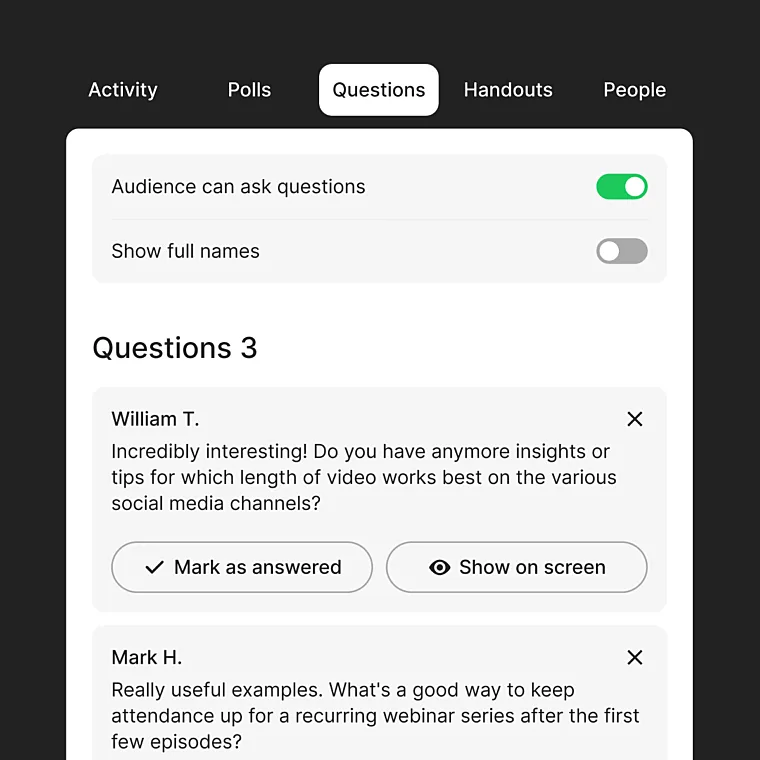
TwentyThree runs webinar Q&A in a dedicated Questions tab, separate from the public chat. Your audience starts submitting questions from the waiting room onward, every question stays private to the host, and you decide which to answer, dismiss, or put on the main stage.

Questions tab collecting audience questions in a webinar

Collect audience questions in one tab, away from the chat

Your audience submits questions in a dedicated Questions tab, from the moment they land in the waiting room through to the close. It sits next to the chat but stays separate – the chat keeps the room social, while questions stay private to you until you choose to surface them.

Moderate the Q&A and decide what gets answered

Every question arrives privately in the Questions tab before the audience sees a thing. Review them as they come in, mark the ones you've answered, and dismiss the rest — no one will know. Switch on Let Speakers See Audience Questions and your presenters can prepare answers live, while only the host can delete a question or put one on screen.

Put a question on screen while the speaker answers it

When a question deserves the spotlight, put it on screen as a full overlay in the webinar room. The overlay works in Panel, MixedMode and GearMode 2.0, so your live Q&A carries the same broadcast-quality look as the rest of your production – and your audience always knows exactly which question is being answered.

Attribution

Keep every question tied to the person who asked it

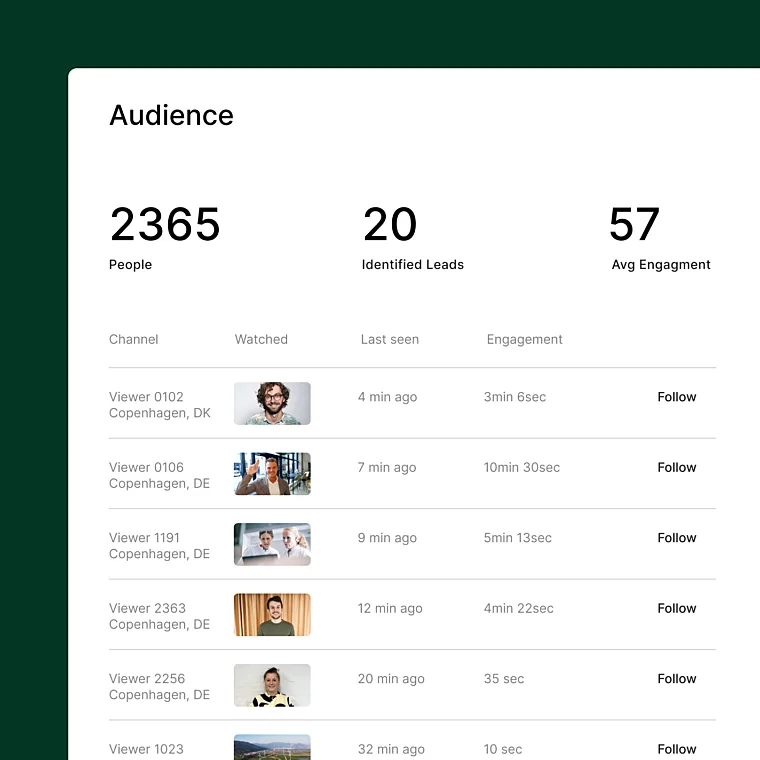
Most webinar tools let questions vanish when the event ends. On TwentyThree, every question is saved with the name and email of the person who asked it, ready to review or export from the Engagement tab. Additionally, each contact's webinar activity syncs to HubSpot and Marketo, so the best questions become the warmest follow-ups.

Explore TwentyThree Webinars

Webinar Q&A is one part of TwentyThree Webinars, the world’s first second-generation webinar product. Our tool makes high-end functionality accessible for ambitious teams who want to provide a professional and deeply engaging experience for their audience. Explore the full suite of features that cover the full webinar lifecycle - before, during, and after the event.

Webinar registration pages

Webinar registration pages that match your brand and live inside your funnel

Learn more

Professional webinar management

The webinar management platform for every stage of every webinar

Learn more

Run-of-show

The webinar run-of-show that lives where the webinar runs

Learn more

Automated Webinars

Automated webinars (minus the pre-recorded part)

Learn more

Webinar Templates

Webinar templates — build one great webinar, run it forever.

Learn more

Webinar Highlights

Video clipping that knows which moments mattered

Learn more

Video Overlays

Professional video overlays for broadcast-quality webinars

Learn more

Webinar Analytics

Webinar analytics for every stage of every webinar

Learn more

Webinar CRM

Webinar CRM integration that sends engagement, not just attendance

Learn more

Webinar Recording

Automatic webinar recording for every event you run

Learn more

Webinar Q&A

Run a moderated webinar Q&A and put the best questions on screen

Learn more

Live Webinar Production

Run broadcast-quality webinars from your browser

Learn more

Webinar Integrations

Native webinar integrations across your martech stack

Learn more

Let's show you Webinar Q&A in action

Add your details and we'll be in touch to schedule a demo

Designed, Owned, Built & Hosted in Europe

We're a European company to the bone. Not only are we GDPR-compliant, we truly believe in the values of the GDPR legislation and the call for transparency in data processing. A GDPR-friendly product for all your video.

Europe icons

All you need to video enable your whole organisation at every customer touchpoint